

We provide advanced audio-visual technologies to create future-ready corporate, educational, and healthcare environments.
We provide advanced audio-visual technologies to create future-ready corporate, educational, and healthcare environments.

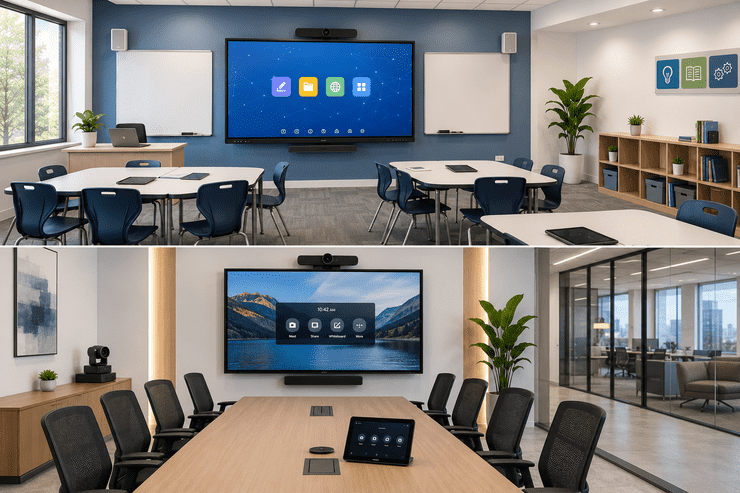
If you've ever compared vendors for a classroom or meeting room upgrade, you've probably come across two terms used almost interchangeably: interactive panels and smart boards. While they look similar at first glance, they're built differently, serve different needs, and come with different price points.
This guide breaks down exactly what separates an interactive panel from a smart board, which one fits your room, and what specifications actually matter — so you can make a confident buying decision instead of guessing.
| Aspect | Interactive Flat Panel | Traditional Smart Board |
|---|---|---|
| Display Type | LED/LCD touchscreen | Projector + touch-sensitive surface |
| Image Quality | Sharp, 4K resolution, bright in daylight | Depends on projector brightness and bulb life |
| Maintenance | Low — no bulbs to replace | Higher — projector bulbs wear out over time |
| Touch Response | Multi-touch, finger and stylus | Often single-touch, less precise |
| Built-in Computing | Many models run Android/Windows apps directly | Requires a separate connected PC |
| Longevity | 50,000+ hours of display life | Projector bulb life much shorter |
In short: interactive panels are the newer, all-in-one technology, while traditional smart boards rely on a projector setup. Most schools and offices upgrading today choose interactive panels for their lower maintenance and sharper visuals.
Built with classroom software, subject-based templates, and simplified interfaces so teachers can start using them with minimal training.
Designed around video conferencing, wireless screen sharing, and integration with tools like Microsoft Teams, Zoom, and Google Meet.
Suit both environments — flexible enough for a training room that doubles as a classroom or a boardroom used for workshops.
When comparing panels, don't just look at screen size. Pay attention to:
| Room Size | Recommended Panel Size |
|---|---|
| Small huddle room (up to 6 people) | 55" – 65" |
| Standard classroom or meeting room | 65" – 75" |
| Large classroom or boardroom | 75" – 86" |
| Auditorium or training hall | 86"+ or video wall setup |
As a general rule, people should be able to comfortably read content from the farthest seat in the room — if not, size up.
Homeify Smart helps schools, training centers, and businesses across Bangalore select and install the right interactive panel for their space. Our services include:
Q1. Is an interactive panel better than a traditional smart board? For most modern classrooms and meeting rooms, yes — interactive panels offer sharper visuals, lower maintenance, and better multi-touch support compared to projector-based smart boards.
Q2. Can interactive panels be used without a separate computer? Many panels run Android apps directly on the built-in system, though some models also support an external PC connection for more advanced software.
Q3. How long do interactive panels typically last? With proper use, most panels are rated for 50,000+ hours of display life, significantly longer than projector-based systems.
Q4. What size panel is best for a standard classroom? Most classrooms work well with a 65" to 75" panel, depending on room size and seating arrangement.
Q5. Does Homeify Smart offer installation across Bangalore? Yes, Homeify Smart provides consultation, installation, and ongoing support for interactive panels across Bangalore.
Interactive panels have largely replaced traditional smart boards as the go-to choice for classrooms and meeting rooms — offering sharper displays, easier maintenance, and better collaboration tools. Choosing the right one comes down to understanding your room size, use case, and must-have features.
Looking to upgrade your classroom or meeting room with the right interactive panel? Homeify Smart offers expert consultation and installation across Bangalore. Reach out today for a free assessment.

Delivering advanced audio-visual and smart technology solutions to create future-ready environments.
© Homeify Smart 2026 | All Rights Reserved