
We provide advanced audio-visual technologies to create future-ready corporate, educational, and healthcare environments.
We provide advanced audio-visual technologies to create future-ready corporate, educational, and healthcare environments.

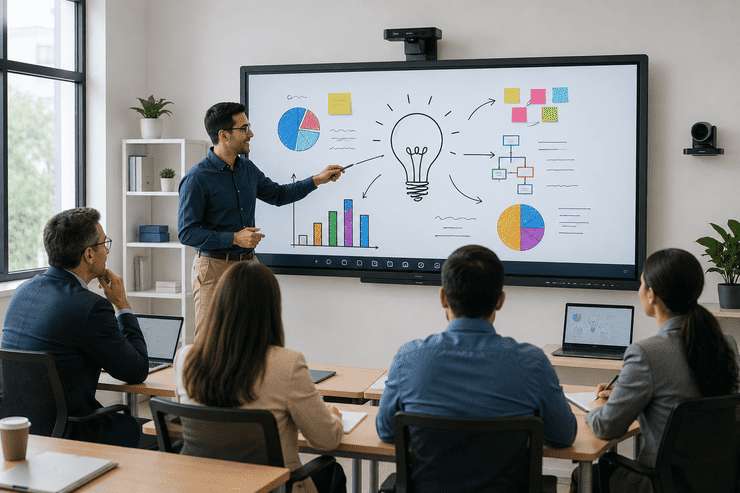
If you've sat through a lesson or a meeting recently, chances are you've used an interactive whiteboard without even thinking about the technology behind it. For teachers, it's replaced chalk and markers. For managers, it's replaced sticky notes and flip charts. But despite how common they've become, many people using them daily still aren't sure exactly what makes them "smart" or how to get the most out of one.
This guide breaks it down simply — what interactive whiteboards actually are, how teachers and managers use them differently, and what to consider before choosing one for your classroom or office.
An interactive whiteboard is a touch-enabled display that lets users write, draw, and interact with digital content directly on the screen — much like a traditional whiteboard, but connected to a computer or built-in operating system. Instead of static marker writing, everything on the screen can be saved, edited, shared, or connected to apps and the internet.
In simple terms: it's a whiteboard that remembers what you write, connects to your other devices, and does a lot more than just display ink.
At a basic level, interactive whiteboards use touch-sensing technology (often infrared or capacitive touch) to detect when a finger or stylus touches the screen. This input is then processed by built-in software or a connected computer, allowing users to:
Most modern interactive whiteboards no longer need a separate projector — the display itself is the screen, similar to a large tablet.
For teachers, interactive whiteboards change how lessons are delivered and how students engage with material:
For a teacher used to physical whiteboards, the biggest shift is realizing that nothing written is ever really lost — it can always be saved, revisited, or sent to students afterward.
For managers and teams, the same core technology serves a different purpose — collaboration and decision-making:
For managers, the biggest value often isn't the writing itself — it's how much time is saved by not manually rewriting notes or re-explaining what was discussed.
| Aspect | Teachers Typically Need | Managers Typically Need |
|---|---|---|
| Primary Use | Lesson delivery and student interaction | Meetings, brainstorming, presentations |
| Software Priority | Educational apps, lesson templates | Video conferencing, document integration |
| Room Size | Classroom-sized, viewable from the back row | Meeting room-sized, varies by team size |
| Content Sharing | With students, often via school portal | With team members, via email or cloud tools |
| Key Feature | Simplicity and ease of use for daily lessons | Fast setup and integration with work tools |
Homeify Smart helps schools and businesses across Bangalore choose and set up interactive whiteboards suited to how they'll actually be used. Our services include:
Q1. What's the difference between an interactive whiteboard and an interactive panel? The terms are often used interchangeably today. Older "interactive whiteboards" sometimes referred to a touch-surface paired with a projector, while modern versions are usually all-in-one touchscreen panels.
Q2. Do interactive whiteboards require special training to use? Basic use is usually intuitive, but getting the most out of advanced features (like app integrations or annotation tools) benefits from a short training session.
Q3. Can interactive whiteboards be used for both teaching and meetings? Yes, many models are versatile enough to suit both classrooms and meeting rooms, though software and app needs may differ slightly.
Q4. How long do interactive whiteboards typically last? With proper care, most modern interactive whiteboards last several years, often rated for tens of thousands of hours of display use.
Q5. Does Homeify Smart provide installation for schools and offices in Bangalore? Yes, Homeify Smart offers consultation, installation, and training for interactive whiteboards across schools and offices in Bangalore.
Whether it's a teacher explaining a new concept or a manager leading a brainstorming session, interactive whiteboards have quietly become one of the most useful tools in both classrooms and offices. Understanding how they work — and choosing the right one for your specific needs — makes the difference between a board that gets used every day and one that ends up gathering dust.
Looking to bring an interactive whiteboard into your classroom or office? Homeify Smart offers expert consultation and installation across Bangalore. Reach out today to find the right fit for your space.

Delivering advanced audio-visual and smart technology solutions to create future-ready environments.
© Homeify Smart 2026 | All Rights Reserved